Food Hunt Level 829 Walkthrough & Answers
ExpertLevel 829 video solution · published August 30, 2026
Watch on YouTube →- Difficulty
- Expert
- Colours on the board
- 11
- Biggest colour
- orange 26.4%
- Clear from the start
- 0 - all walled off
- This page has
- Video + step-by-step
Pixel-Art Apple with Bananas and a Green Plus
How do you beat level 829? Watch the video or follow the step-by-step picture and text guide to complete it!

Level board
Step-by-step walkthrough
Prefer screenshots to video? Every phase of the clear is below in order, with the block counts and the frames they were taken from — keep it open next to the game and follow along tap by tap.
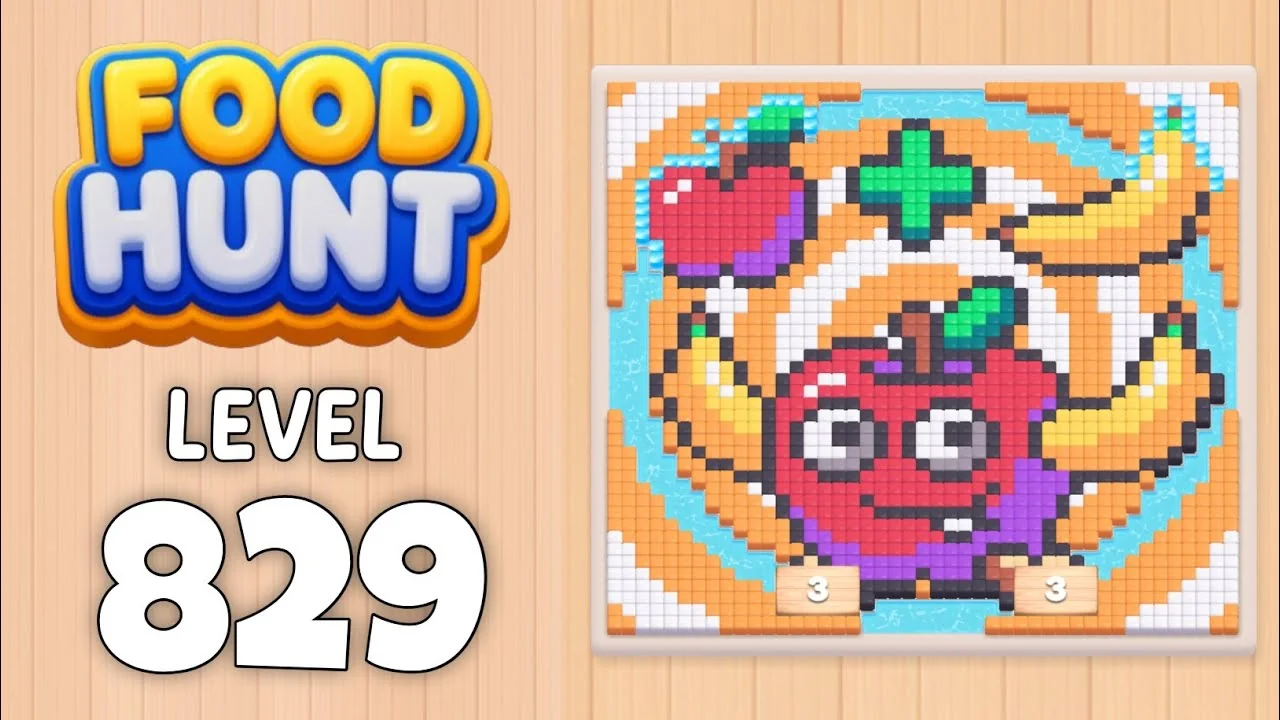
Level: 829 - a pixel-art food still life: a big smiling red apple with googly white eyes and a green stem in the centre, a green plus sign above it, a second smaller red apple at the top left with a green leaf, two yellow bananas curving across the middle, all on an orange-and-light-blue rayed background inside a cream pixel border
How the Level Works
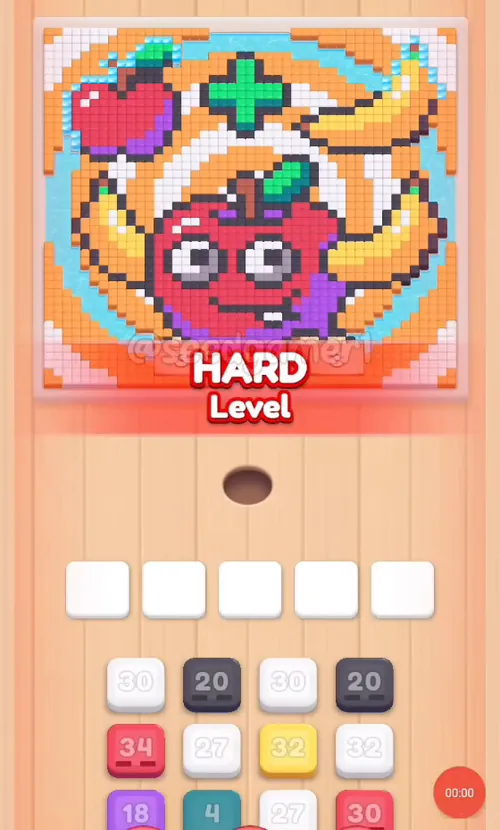
1. Tap a color block in the bottom queue to send it into one of the five slots above the hole. The queue is a four-column grid, three blocks deep, and it narrows as the level runs down: it drops to three columns at about 6:22 and to a single column at about 7:03.
2. Ants of that color pour out of the hole and eat every reachable pixel of the matching color on the picture; the number printed on the block counts down while they work. At 0 the block vanishes and frees its slot.
3. All five slots are open from the first second. The opening three blocks land inside the same half-second and the first tap comes at 0:03.5.
4. Pixels can be walled in. A block can sit on a handful of pixels for minutes while the rest of its color is buried under other colors. That is normal - the pixels fall the moment the blocking color is gone. The worst stall here is Red 115 in slot 5, which holds the slot for 2:48 (2:28 to 5:16).
5. Two blocks carry a gold dotted panel instead of the plain face (steps 7 and 27). They behave like any other block, but they are easy to spot in the queue.
6. Eat the entire picture to win. There is no move limit, so the order below only decides how fast the slots recycle. One clean run takes 7:25, and the Level Complete screen follows at 7:26.5.
Complete Block Order (Which Color First, Then Which)
Timestamps are when the block lands in a slot. Count is the number printed on the block as it lands - a block that is already eating shows one less a moment later, so the queue can read a digit or two higher. The numbers below run in tap order, not by slot: the same slot refills again and again.
The queue also holds a few blocks that never take a slot: a Green 1 at about 4:28 and a Brown 2 at 4:31.5 drain the instant they land, and any block left over once its colour has been eaten away drops out of the queue without being placed. The table below is the complete set of placements.
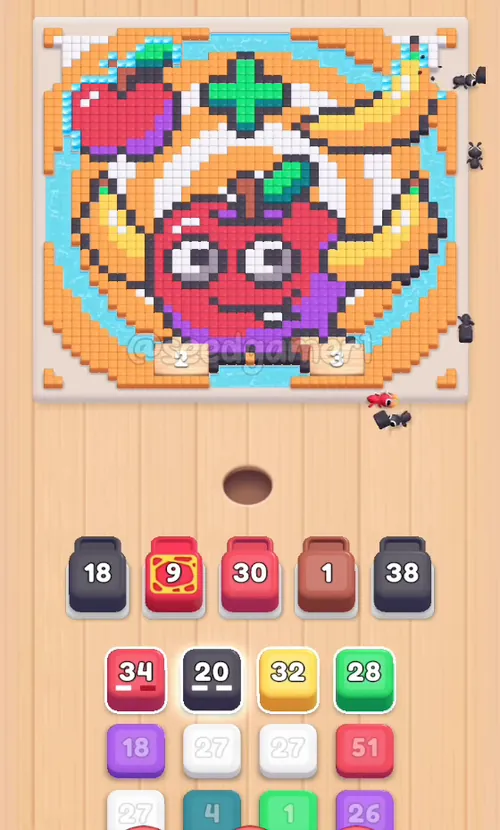
Phase 1 - The Opening Four (0:03.5 - 0:04)
| # | Time | Color Block | Count |
|---|---|---|---|
| 1 | 0:03.5 | ⬛ Dark grey | 20 |
| 2 | 0:03.5 | ⬜ White | 30 |
| 3 | 0:03.5 | 🟥 Red | 30 |
| 4 | 0:04 | 🟫 Brown | 1 |
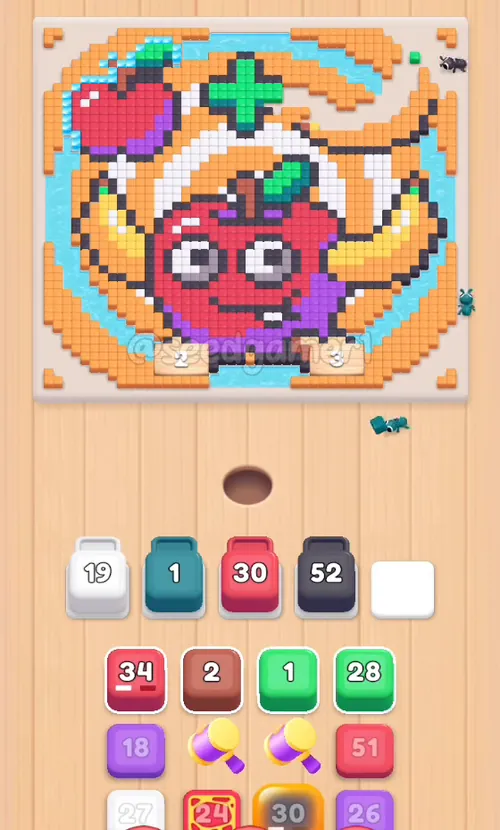
Phase 2 - White Refills and the First Red (0:11 - 0:28.5)
| # | Time | Color Block | Count |
|---|---|---|---|
| 5 | 0:11 | ⬜ White | 30 |
| 6 | 0:17 | ⬜ White | 30 |
| 7 | 0:26.5 | 🟥 Red | 13 |
| 8 | 0:28.5 | ⬛ Dark grey | 40 |
Phase 3 - Dark grey, Yellow and White (0:39.5 - 1:41.5)
| # | Time | Color Block | Count |
|---|---|---|---|
| 9 | 0:39.5 | ⬛ Dark grey | 75 |
| 10 | 0:52.5 | 🟨 Yellow | 31 |
| 11 | 0:54 | ⬜ White | 26 |
| 12 | 1:41.5 | ⬜ White | 25 |
Phase 4 - Teal, Green and the Red 115 (1:59.5 - 2:45)
| # | Time | Color Block | Count |
|---|---|---|---|
| 13 | 1:59.5 | 💠 Teal | 3 |
| 14 | 2:06 | 🟩 Green | 28 |
| 15 | 2:28 | 🟥 Red | 115 |
| 16 | 2:45 | 🟣 Purple | 18 |
Phase 5 - Purple, Dark grey and Orange (2:45.5 - 3:35)
| # | Time | Color Block | Count |
|---|---|---|---|
| 17 | 2:45.5 | ⬜ White | 27 |
| 18 | 3:34 | 🟣 Purple | 26 |
| 19 | 3:34.5 | ⬛ Dark grey | 39 |
| 20 | 3:35 | 🟧 Orange | 96 |
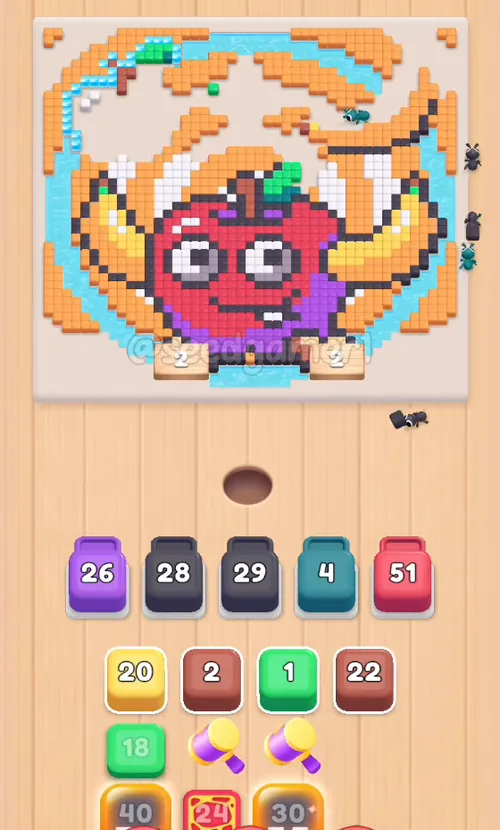
Phase 6 - Dark grey, Teal and the First Same-Slot Swap (3:54.5 - 5:00)
| # | Time | Color Block | Count |
|---|---|---|---|
| 21 | 3:54.5 | ⬛ Dark grey | 30 |
| 22 | 3:55 | 💠 Teal | 16 |
| 23 | 4:29 | ⬛ Dark grey | 81 |
| 24 | 5:00 | 🟨 Yellow | 19 |
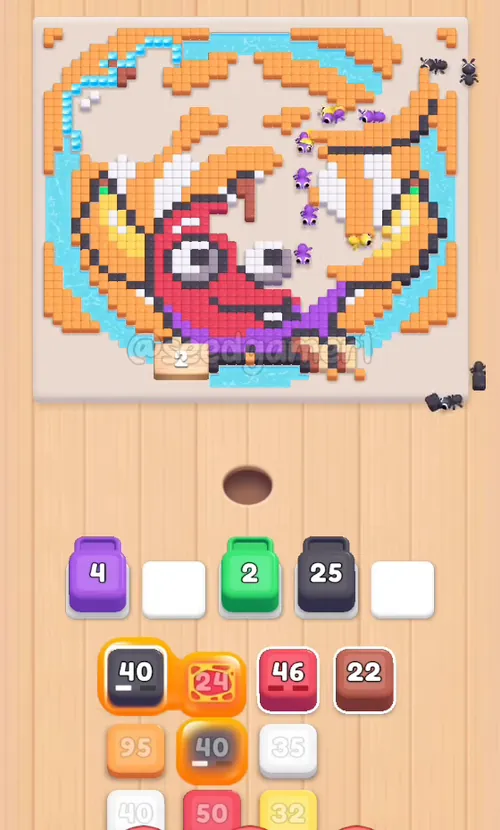
Phase 7 - Red, Dark grey and the Long Stall (5:03 - 5:32.5)
| # | Time | Color Block | Count |
|---|---|---|---|
| 25 | 5:03 | 🟩 Green | 17 |
| 26 | 5:30.5 | ⬛ Dark grey | 40 |
| 27 | 5:32 | 🟥 Red | 24 |
| 28 | 5:32.5 | ⬛ Dark grey | 101 |
Phase 8 - Red, Orange, White and Purple (5:34 - 6:03.5)
| # | Time | Color Block | Count |
|---|---|---|---|
| 29 | 5:34 | 🟥 Red | 46 |
| 30 | 5:34.5 | 🟧 Orange | 94 |
| 31 | 5:56.5 | ⬜ White | 33 |
| 32 | 6:02.5 | 🟥 Red | 49 |
| 33 | 6:03.5 | 🟣 Purple | 37 |
Phase 9 - Brown, White and Yellow (6:21.5 - 6:38)
| # | Time | Color Block | Count |
|---|---|---|---|
| 34 | 6:21.5 | 🟫 Brown | 21 |
| 35 | 6:37.5 | ⬜ White | 40 |
| 36 | 6:38 | 🟨 Yellow | 31 |
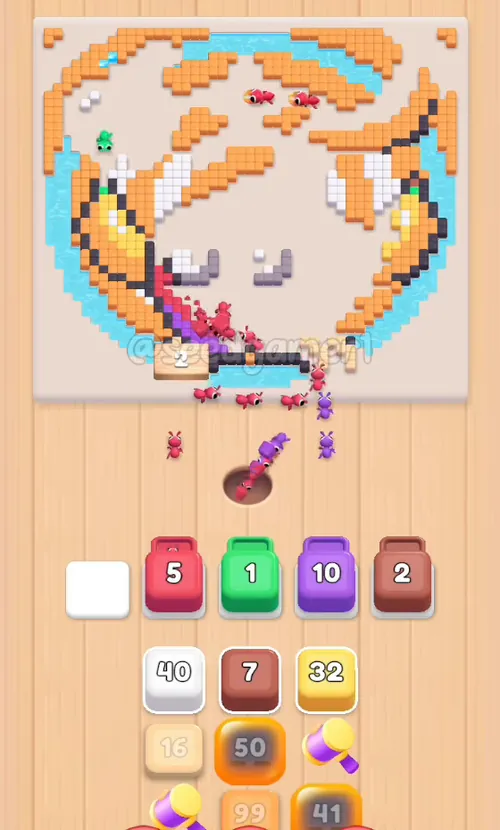
Phase 10 - The Last Big Blocks (6:47 - 6:57)
| # | Time | Color Block | Count |
|---|---|---|---|
| 37 | 6:47 | 🟨 Sand | 15 |
| 38 | 6:49.5 | ⬛ Dark grey | 40 |
| 39 | 6:52 | 🟧 Orange | 89 |
| 40 | 6:57 | 🟫 Brown | 7 |
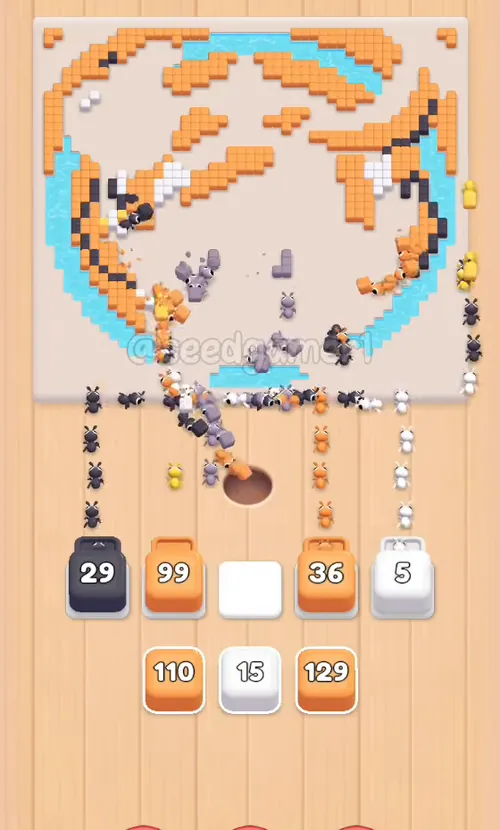
Phase 11 - The Endgame (6:58 - 7:12.5)
| # | Time | Color Block | Count |
|---|---|---|---|
| 41 | 6:58 | ⬛ Dark grey | 50 |
| 42 | 6:59 | 🟪 Mauve | 12 |
| 43 | 6:59.5 | ⬜ White | 18 |
| 44 | 7:02 | 🟧 Orange | 99 |
| 45 | 7:03 | 🟧 Orange | 109 |
| 46 | 7:04 | ⬜ White | 15 |
| 47 | 7:12.5 | 🟧 Orange | 129 |
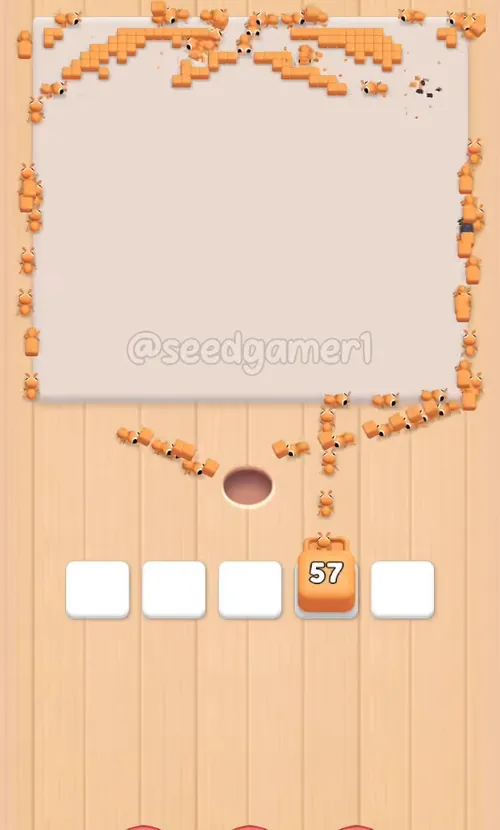
The very last pixel to fall is Orange - the last orange specks of the background rays, eaten at 7:25.
Quick Reference - One-Line Order
Dark grey 20 → White 30 → Red 30 → Brown 1 → White 30 → White 30 → Red 13 → Dark grey 40 → Dark grey 75 → Yellow 31 → White 26 → White 25 → Teal 3 → Green 28 → Red 115 → Purple 18 → White 27 → Purple 26 → Dark grey 39 → Orange 96 → Dark grey 30 → Teal 16 → Dark grey 81 → Yellow 19 → Green 17 → Dark grey 40 → Red 24 → Dark grey 101 → Red 46 → Orange 94 → White 33 → Red 49 → Purple 37 → Brown 21 → White 40 → Yellow 31 → Sand 15 → Dark grey 40 → Orange 89 → Brown 7 → Dark grey 50 → Mauve 12 → White 18 → Orange 99 → Orange 109 → White 15 → Orange 129
Pro Tips
1. All five slots are open from the first second. There is no locked slot on this level, so the opening three blocks (Dark grey 20, White 30 and Red 30) land within one second of each other. Tap the next block the moment a slot empties - an empty slot is idle ants.
2. Dark grey is the biggest single colour of the level - the ten Dark grey blocks together are 516 pixels, more than a quarter of the picture. Dark grey is the outline around every shape and the shading under the apples, so those blocks only finish once the shapes they outline have been eaten. Step 9 (Dark grey 75) lands at 0:39.5 and holds slot 4 until 3:15 - 2:35 in one slot.
3. The Red 115 is the worst stall of the level. It lands in slot 5 at 2:28 and does not finish until 5:16 - 2:48. Red is the two apples, and most of that red is walled in behind the Dark grey outlines and the Yellow bananas. Nothing is broken; it is just blocked.
4. The Red 30 in slot 3 sits from 0:03.5 to 2:28 - 2:24, the third longest stall. Drop it in first and forget about it.
5. Two blocks are drawn with a gold dotted panel (step 7 the Red 13 and step 27 the Red 24). They are ordinary blocks with ordinary counts; the panel is only a decoration, so do not save them for a special moment.
6. Blocks hand a slot straight over to the next block. The queue keeps the slots busy: as soon as one block finishes, the next one can drop into the same slot. The clearest hand-overs are at 4:29 (Dark grey 81 takes slot 4 from the Teal 16), 6:02.5 (Red 49 takes slot 2 from the Red 46 - both are red, so only the number jumps), 6:03.5 (Purple 37 takes slot 4 from the White 33), 6:47 to 6:58 in slot 1 (Sand 15, then Dark grey 50) and 6:57 to 7:04 in slot 5 (Brown 7, then White 18, then White 15). Watch the number jump back up - that is a new block, not the old one.
7. The queue narrows as it empties. It is four columns wide until about 6:22, three columns until about 7:03, and then a single column holding only the final Orange 129. Whole columns are used up, so the last few blocks roll up from below.
8. The endgame is Orange. Three of the last four blocks are Orange (99, 109 and 129), and the very last pixel left on the board is an orange speck of the background rays.
9. Finale. The last block you place is Orange 129 at 7:12.5; the last pixels fall at 7:25 and the Level Complete screen follows at 7:26.5, with no failed taps and no wasted moves.
10. Some queued blocks never take a slot. A block whose colour has already been eaten drains the instant it lands - the clearest are a Green 1 and a Brown 2 - and any block left over after its colour is gone simply drops out of the queue. If the queue shows a number you cannot find in the table, that is why. Just tap whatever the queue offers whenever a slot is free.
Colors in this level
Colors in this level: ⬛ Dark grey (the outline around every shape and the shading under the apples - the biggest area) · ⬜ White (the apple eyes, the highlights and the pale gaps in the background) · 🟥 Red (the big apple and the smaller apple at the top left) · 🟧 Orange (the orange rays of the background) · 🟨 Yellow (the two bananas and the yellow rays) · 🟩 Green (the plus sign, the apple stems and the leaf) · 🟣 Purple (the violet shading on both apples) · 💠 Teal (the pale blue ring behind the apple) · 🟫 Brown (the dark red-brown shading at the bottom of the apples) · 🟨 Sand (the pale cream highlights on the board) · 🟪 Mauve (the grey-violet shading on the apple)
Food Hunt Level 829 — frequently asked questions
- What colours are on the Food Hunt Level 829 board?
- The board image breaks down into 11 main colours, each covering at least 2% of it: orange (#F7A95D, 26.4% of the board), dark grey (#514653, 15.5% of the board), red (#DF4863, 12.4% of the board), cyan (#6CCDDC, 11.3% of the board), white (#F4EFF1, 10.5% of the board), pale orange (#E1CBAB, 5.0% of the board), purple (#AF58DF, 4.5% of the board), dark red (#8E656A, 4.4% of the board), yellow (#F7D362, 4.1% of the board), green (#22DD82, 3.0% of the board) and light orange (#C27652, 2.8% of the board).
- Which colour should I clear first in Food Hunt Level 829?
- orange covers the most of the board at 26.4%, and dark grey is next at 15.5%. The step-by-step walkthrough above is this board's actual tap order; the colour shares here are only what each colour costs to clear.
- What difficulty is Level 829 in Food Hunt: Pixel Puzzle?
- Level 829 is rated Expert difficulty in Food Hunt: Pixel Puzzle.
- Is there a video walkthrough for this Food Hunt level?
- Yes — the walkthrough video on this page plays the full clear of this board, so you can follow the tap order block by block. The board image next to it shows what the finished picture is made of.
More expert walkthroughs
View all →
Featured walkthroughs
The levels players search for most - each with a full video guide.