Food Hunt Level 721 Walkthrough
ExpertHow do you beat level 721? Watch the video or follow the step-by-step picture and text guide to complete it!
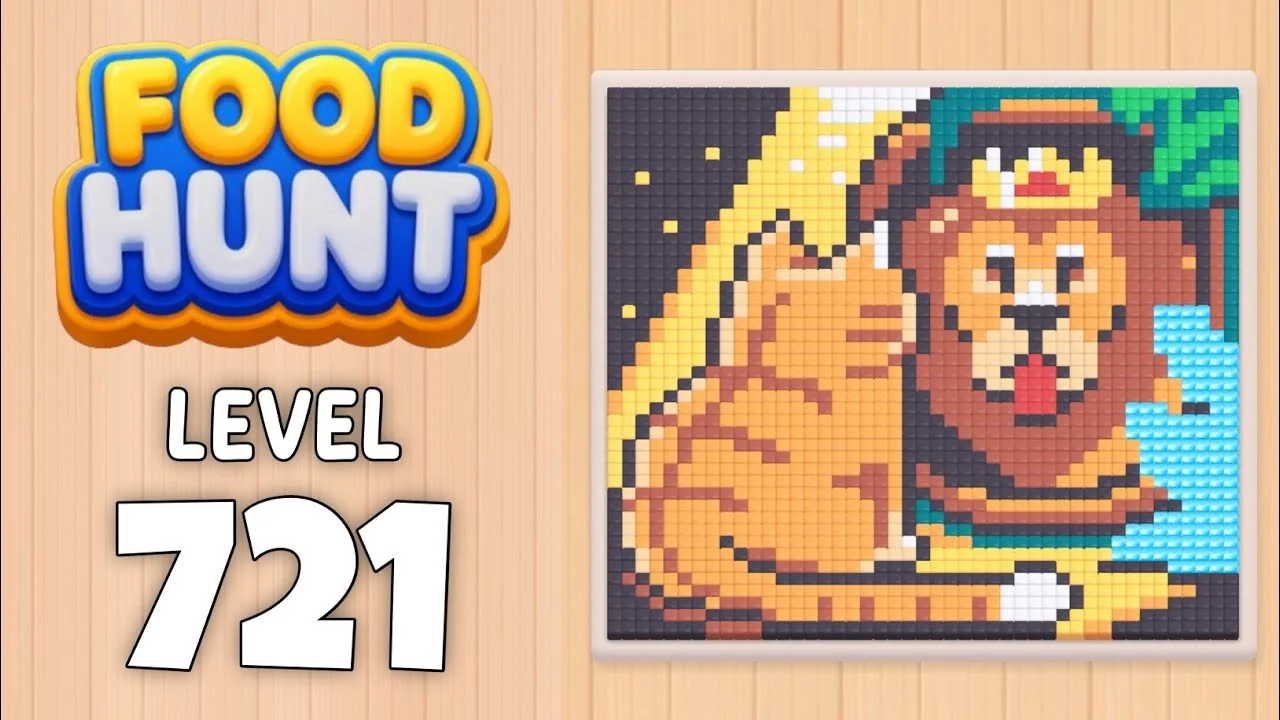
Level board
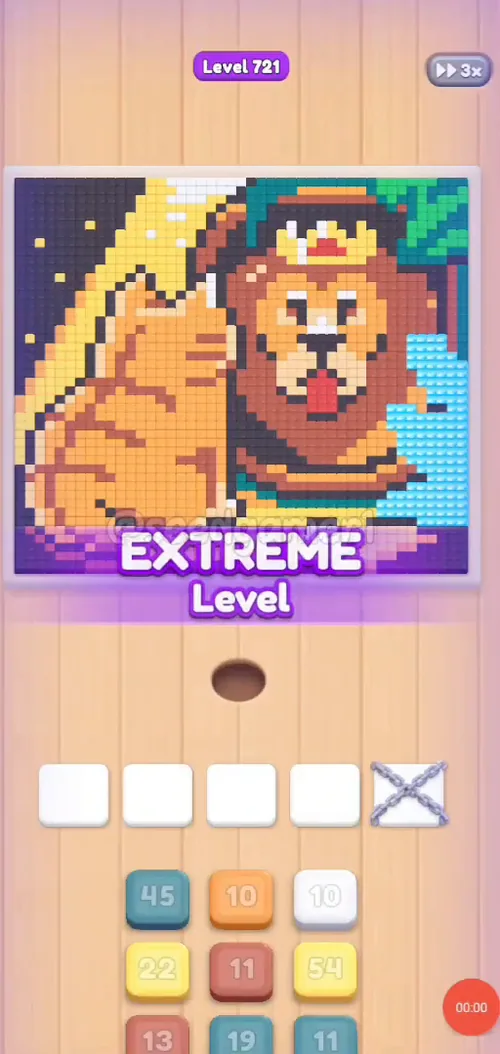
Step-by-step walkthrough
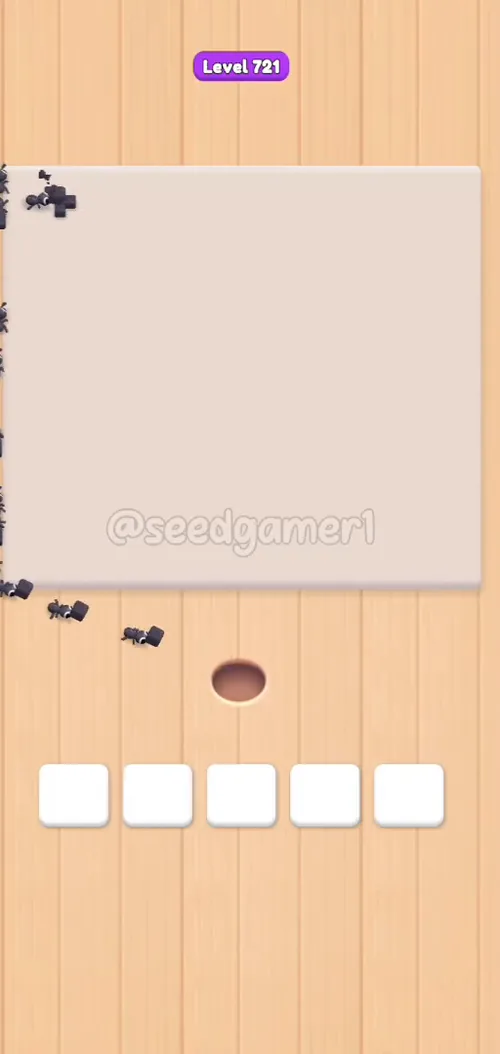
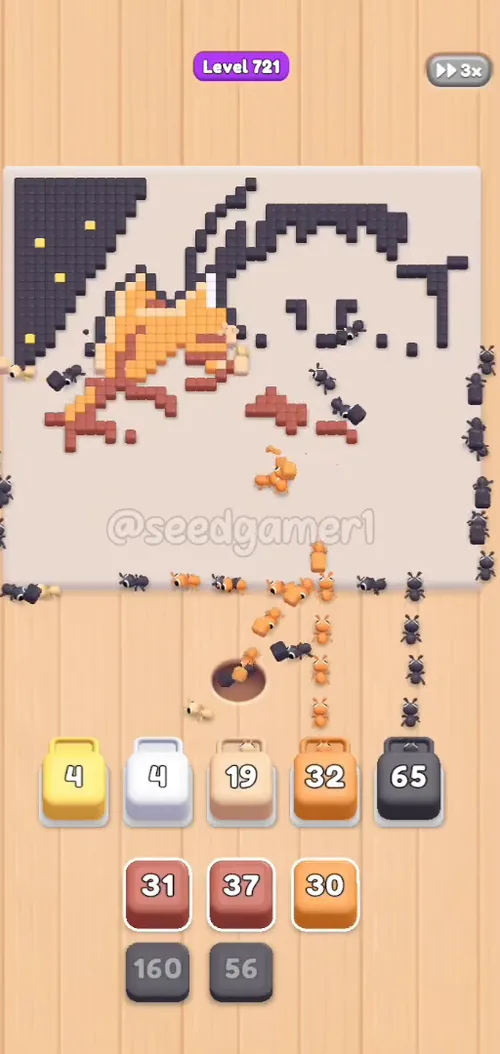
Prefer screenshots to video? Every phase of the clear is below in order, with the block counts and the frames they were taken from — keep it open next to the game and follow along tap by tap.
Level: 721 — a scene (~183,000 paintable pixels)
Source: frame-by-frame analysis of the Level 721 recording (874 frames @ 2 fps), cleared in one run; the last block finishes at ~7:12
Blocks fed: 55 | Clear time: ~7:12 | Move limit: none — order only affects speed
Note on counts: the number printed on each block is small and low-contrast, and could not be read reliably from the frames — so the Count column is omitted below. The tap order, colors and timestamps are all frame-verified.
How This Level Works
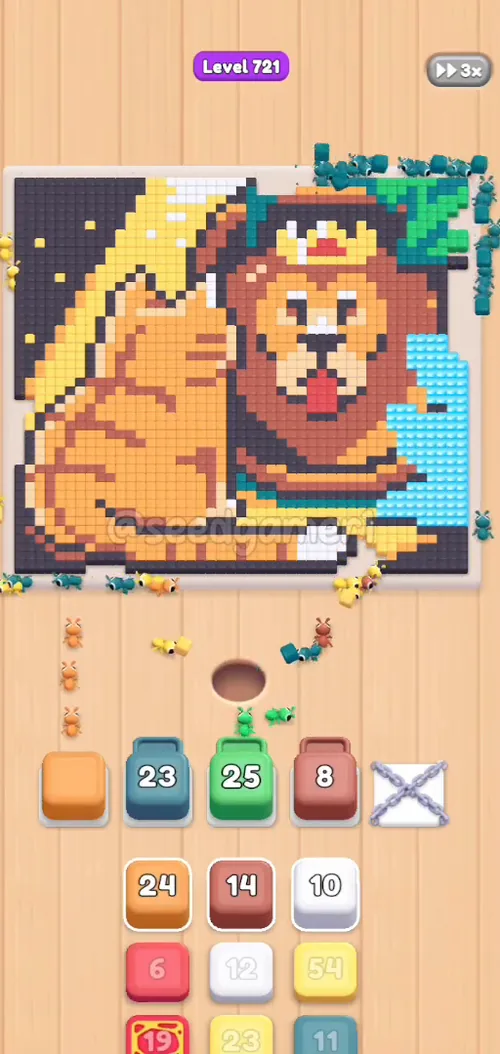
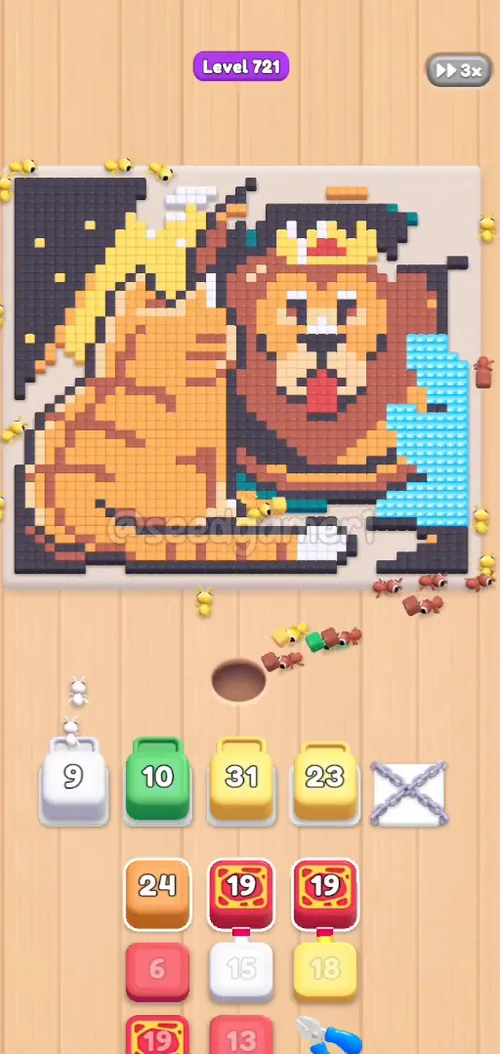
- The picture sits at the top; five slots run across the middle; a 3-column queue of color blocks sits at the bottom (three rows visible per column).
- Tapping a block takes the top block of that column; the column scrolls up one step and the block flies into the leftmost free slot.
- Ants of that block's color then eat every matching pixel off the picture. A block disappears once its pixels are gone — the slot frees up for the next tap.
- Blocks whose pixels are buried under other colors stall (their count freezes for minutes). That is normal — do not tap more blocks trying to "unstick" them.
- The slot on the far right (slot 5) shows a faint decorative pattern until the first block is placed there at ~1:30; it is a normal usable slot.
Rule of thumb used below: keep the slots full — tap the next block the moment a slot frees, and prefer the color whose pixels are still visible on top.
Phase 1 — Opening (0:04–0:15)
Fill the left three slots immediately with three quick taps, then keep the queue moving with teal, yellow and salmon as the slots free up.
| # | Time | Color Block |
|---|---|---|
| 1 | 0:04 | 🟧 Orange |
| 2 | 0:04 | 🟥 Salmon |
| 3 | 0:05 | 💠 Teal |
| 4 | 0:14 | 💠 Teal |
| 5 | 0:15 | 🟨 Yellow |
| 6 | 0:15 | 🟥 Salmon |
Phase 2 — First Sweep (0:21–1:07)
Green, white and yellow alternate here, with teal and salmon mixed in — this is where the big color blocks start draining and the first stalls appear.
| # | Time | Color Block |
|---|---|---|
| 7 | 0:21 | 🟩 Green |
| 8 | 0:27 | ⬜ White |
| 9 | 0:31 | 🟨 Yellow |
| 10 | 0:40 | 💠 Teal |
| 11 | 0:51 | 🟥 Salmon |
| 12 | 0:57 | 🟩 Green |
| 13 | 0:57 | 🟨 Yellow |
| 14 | 0:57 | 🟧 Orange |
| 15 | 1:07 | ⬜ White |
| 16 | 1:07 | 🟨 Yellow |
Phase 3 — Mid Game (1:27–2:08)
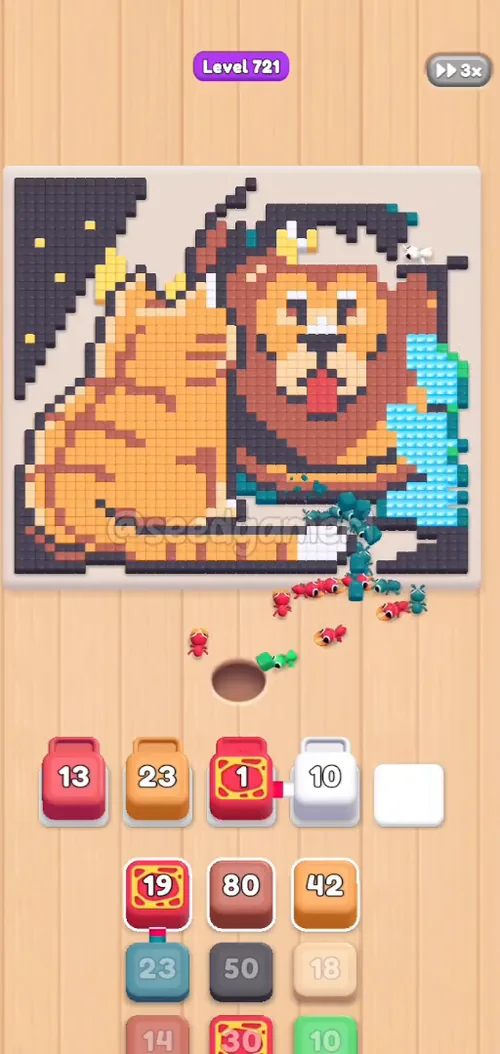
Reds take over here. Slot 5 finally opens with a pink block; a red block then sits in slot 1 for over two minutes (it is not stuck — its pixels are buried under the yellow layer that clears later).
| # | Time | Color Block |
|---|---|---|
| 17 | 1:27 | 🟥 Red |
| 18 | 1:27 | 🟨 Yellow |
| 19 | 1:30 | 🟧 Orange |
| 20 | 1:30 | 🩷 Pink |
| 21 | 1:42 | 🟥 Red |
| 22 | 1:42 | ⬜ White |
| 23 | 1:46 | 🟥 Red |
| 24 | 1:46 | 🟧 Orange |
| 25 | 1:47 | 💠 Teal |
| 26 | 2:07 | 🟥 Salmon |
Phase 4 — Red Wave (2:25–3:08)
Reds and teals alternate as the last of the mid-tone colors come off the picture; the white block in slot 4 is the long one and stays put until the endgame.
| # | Time | Color Block |
|---|---|---|
| 27 | 2:25 | ⬛ Charcoal |
| 28 | 2:35 | 💠 Teal |
| 29 | 2:36 | 🟥 Red |
| 30 | 2:39 | 🟧 Orange |
| 31 | 2:42 | 🟥 Salmon |
| 32 | 2:46 | 🟥 Red |
| 33 | 2:47 | 🟨 Yellow |
| 34 | 2:49 | 🟧 Orange |
| 35 | 2:52 | ⬜ White |
| 36 | 3:05 | 🟩 Green |
| 37 | 3:08 | 🟥 Salmon |
Phase 5 — Rebuild (3:32–5:19)
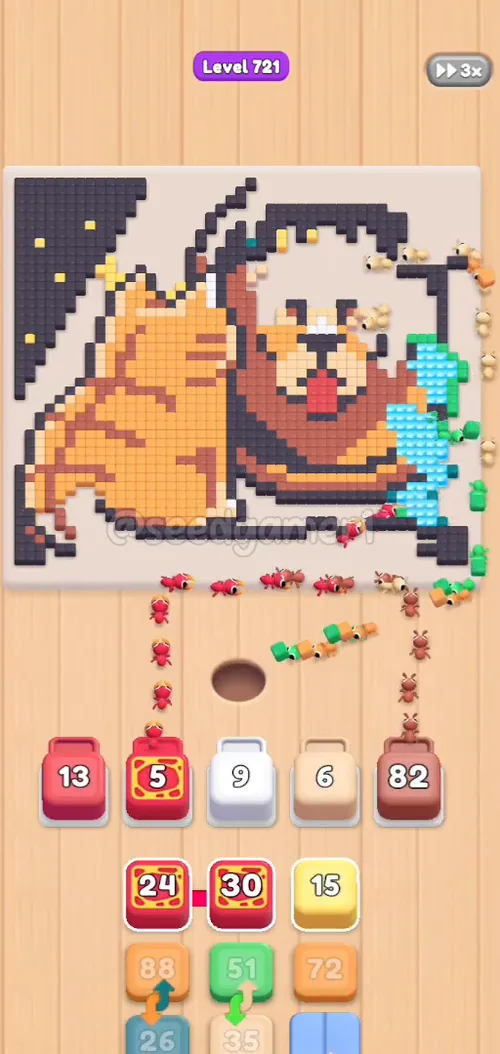
The board is mostly clear; this wave starts the long tail of small blocks. Four blocks go in back-to-back at 3:32–3:33 (white, red, red, salmon) — order between them does not matter, they clear different colors.
| # | Time | Color Block |
|---|---|---|
| 38 | 3:32 | ⬜ White |
| 39 | 3:33 | 🟥 Red |
| 40 | 3:33 | 🟥 Red |
| 41 | 3:33 | 🟥 Salmon |
| 42 | 4:31 | 🟩 Green |
| 43 | 5:04 | 💠 Teal |
| 44 | 5:15 | 🟨 Yellow |
| 45 | 5:15 | 🟧 Orange |
| 46 | 5:18 | 🟧 Orange |
Phase 6 — Endgame (5:41–7:12)
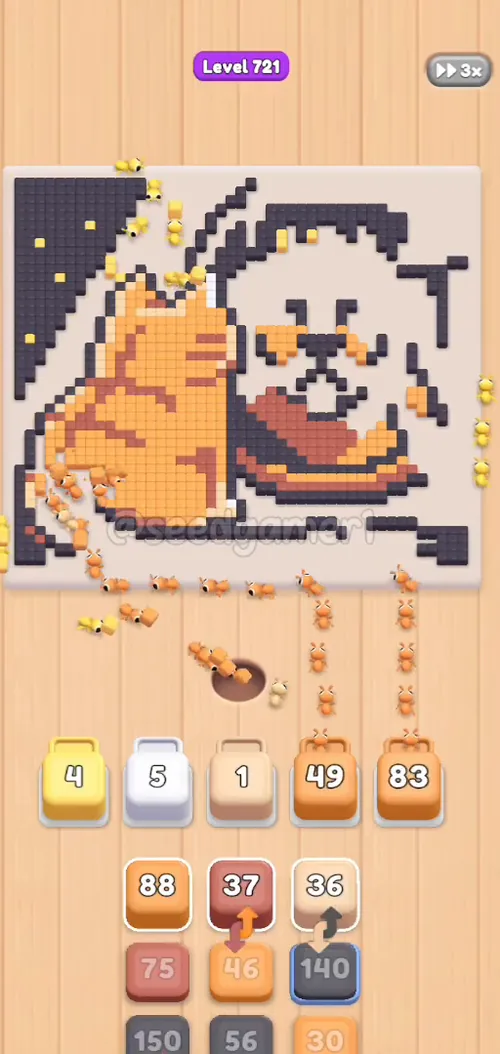
The last nine blocks: oranges and salmons mop up the mid-tones, then three charcoal blocks finish the dark outline. The very last pixel to fall is charcoal — the last charcoal block (step 55) finishes at 7:12.
| # | Time | Color Block |
|---|---|---|
| 47 | 5:41 | 🟧 Orange |
| 48 | 5:56 | ⬛ Charcoal |
| 49 | 6:22 | 🟥 Salmon |
| 50 | 6:37 | 🟧 Orange |
| 51 | 6:48 | 🟥 Salmon |
| 52 | 6:52 | ⬛ Charcoal |
| 53 | 6:53 | 🟧 Orange |
| 54 | 6:55 | 🟥 Salmon |
| 55 | 7:02 | ⬛ Charcoal |
Quick Reference — Full Tap Order
Orange → Salmon → Teal → Teal → Yellow → Salmon → Green → White → Yellow → Teal → Salmon → Green → Yellow → Orange → White → Yellow → Red → Yellow → Orange → Pink → Red → White → Red → Orange → Teal → Salmon → Charcoal → Teal → Red → Orange → Salmon → Red → Yellow → Orange → White → Green → Salmon → White → Red → Red → Salmon → Green → Teal → Yellow → Orange → Orange → Orange → Charcoal → Salmon → Orange → Salmon → Charcoal → Orange → Salmon → Charcoal
Pro Tips
- Keep every slot busy. This level rewards rapid taps — 55 blocks in 7 minutes means a block is placed roughly every 8 seconds.
- Big colors first. Orange (11 blocks), salmon (9) and yellow (7) are the bulk of the picture; getting them in early keeps the ants working while small blocks wait.
- Two long stalls are expected: the red block in slot 1 sits idle from 1:46 to 4:31 (~2m45s) and the white block in slot 2 from 3:32 to 6:52 (~3m20s). Their pixels are buried — they release once the covering colors are eaten. Do not spend extra taps.
- Reds cluster late. Seven of the red blocks land between 1:27 and 3:33; if you tap reds earlier they will simply stall.
- The finale is charcoal. Keep the three charcoal blocks (steps 48, 52, 55) for the end — the very last pixel to fall is charcoal at 7:12.
- One-run clear time: ~7:12 of gameplay (recording ends at 7:16).
Compiled from programmatic frame-by-frame video analysis: 874 frames at 2 fps — per-frame slot tracking by pixel sampling, queue scrolls cross-checked against slot arrivals, and ~183,000 paintable pixels consumed across 55 blocks (~3,300 per block on average).
Food Hunt Level 721 — frequently asked questions
- What colours are on the Food Hunt Level 721 board?
- The board image breaks down into 8 main colours, each covering at least 2% of it: orange (#F9B161, 27.1% of the board), red (#C06A5A, 21.8% of the board), dark grey (#4F4753, 20.9% of the board), yellow (#F9DC72, 10.6% of the board), pale orange (#F0DABC, 7.1% of the board), cyan (#71E0F8, 5.7% of the board), dark cyan (#1B9585, 3.7% of the board) and dark red (#8C665A, 3.2% of the board).
- Which colour should I clear first in Food Hunt Level 721?
- orange covers the most of the board at 27.1%, and red is next at 21.8%. The step-by-step walkthrough above is this board's actual tap order; the colour shares here are only what each colour costs to clear.
- What difficulty is Level 721 in Food Hunt: Pixel Puzzle?
- Level 721 is rated Expert difficulty in Food Hunt: Pixel Puzzle.
- Is there a video walkthrough for this Food Hunt level?
- Yes — the walkthrough video on this page plays the full clear of this board, so you can follow the tap order block by block. The board image next to it shows what the finished picture is made of.
More expert walkthroughs
View all →
Featured walkthroughs
The levels players search for most - each with a full video guide.