Food Hunt Level 753 Walkthrough
ExpertPixel-Art Boy in a Cyan Cap
How do you beat level 753? Watch the video or follow the step-by-step picture and text guide to complete it!
Level board
Step-by-step walkthrough
Prefer screenshots to video? Every phase of the clear is below in order, with the block counts and the frames they were taken from — keep it open next to the game and follow along tap by tap.
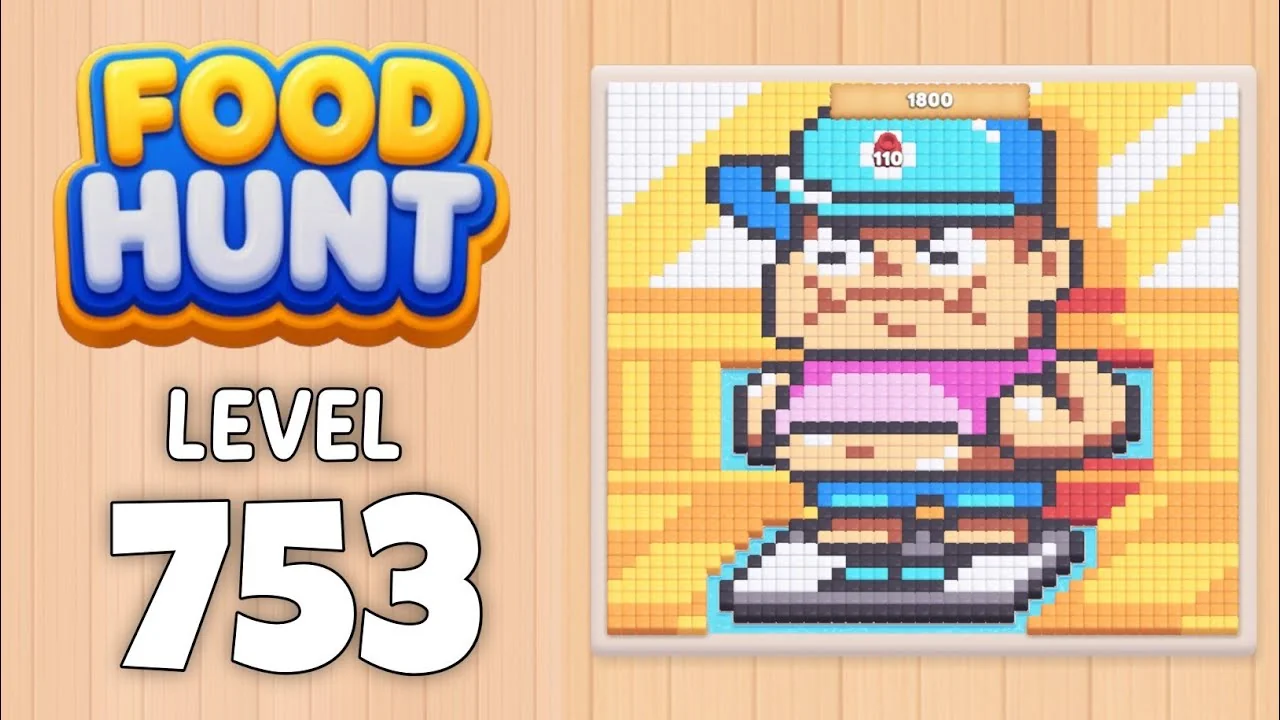
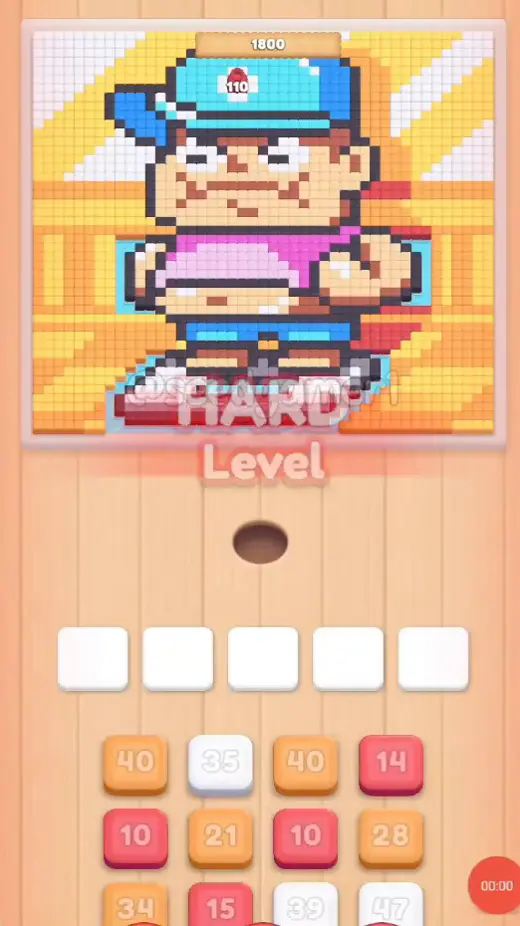
Level: 753 — a pixel-art boy in a cyan baseball cap (cap badge 110, a wooden counter reading 1800 above his head) hanging over a giant striped burger, on a yellow-and-white striped orange backdrop
How the Level Works
1. Tap a color block in the bottom queue to send it into one of the five slots above. The queue runs in four independent columns, three blocks deep; a column scrolls up only when its own front block is taken, so the block you want is not always in the leftmost column.
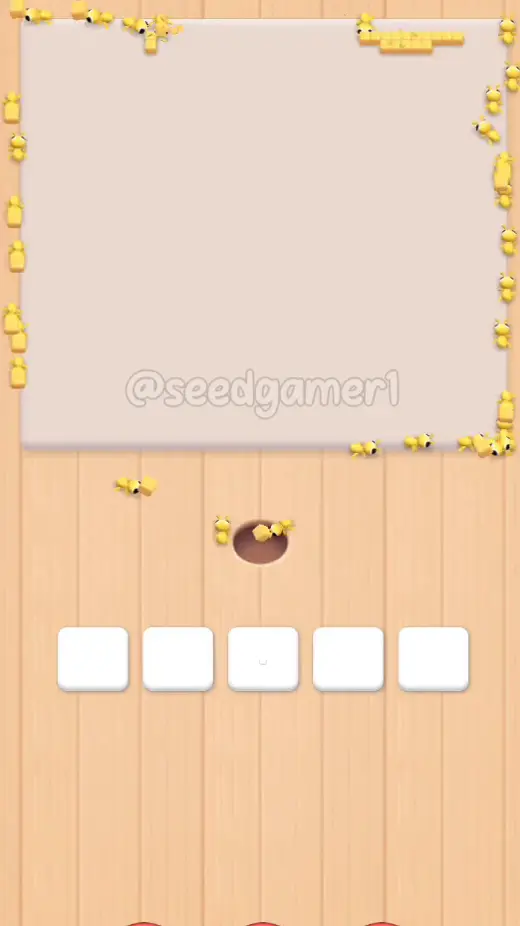
2. Ants of that color pour out of the hole and eat every reachable pixel of the matching color on the picture; the number printed on the block counts down while they work. At 0 the block vanishes and frees its slot.
3. Pixels can be walled in. A block can sit with a handful of pixels left for five minutes while the rest of its color is buried under other colors. That is normal — the pixels fall the moment the blocking color is gone.
4. Eat the entire picture to win. There is no move limit, so the order below only decides how fast the five slots recycle. One clean run places all 54 blocks between 0:04 and 7:25, the board is empty at 7:33, and the Level Complete screen appears at 7:38.
Complete Block Order (Which Color First, Then Which)
Timestamps are when the block lands in a slot (video time). Count is the number printed on the block as it settles, read off the landing frame.
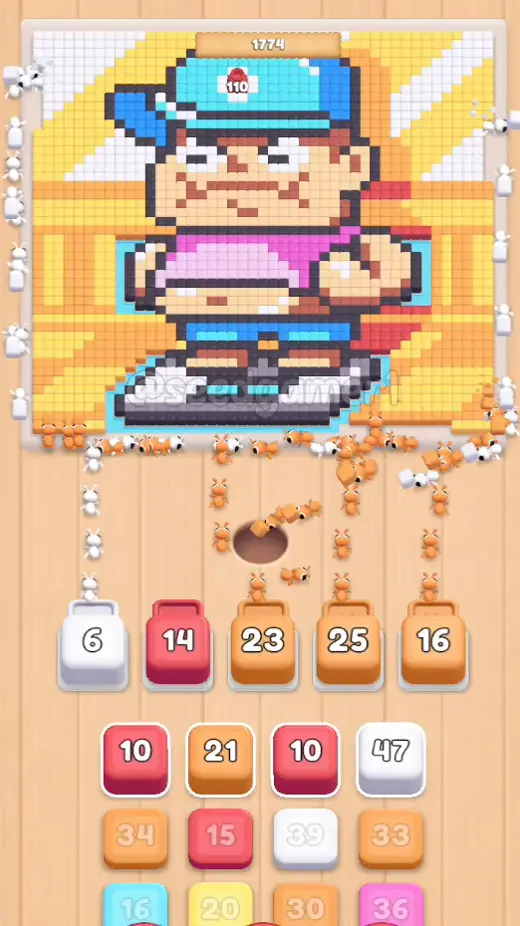
Phase 1 — The Opening Six (0:04 – 0:11)
| # | Time | Color Block | Count |
|---|---|---|---|
| 1 | 0:04 | ⬜ Off-white | 32 |
| 2 | 0:04 | 🟥 Red | 14 |
| 3 | 0:06 | 🟧 Orange | 38 |
| 4 | 0:06 | 🟧 Orange | 40 |
| 5 | 0:07 | 🟧 Orange | 26 |
| 6 | 0:11 | 🟧 Orange | 21 |
Phase 2 — Four More Orange and Two Red (0:25 – 0:43)
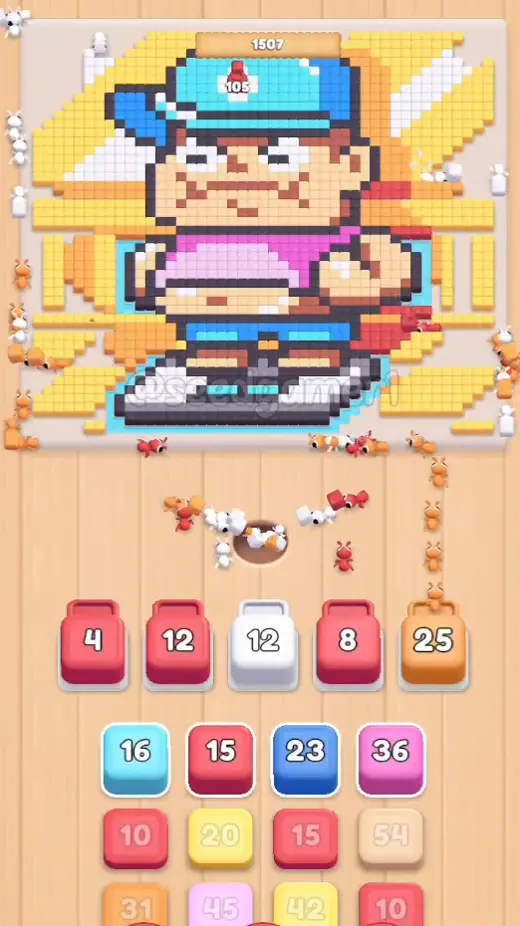
| # | Time | Color Block | Count |
|---|---|---|---|
| 7 | 0:25 | 🟥 Red | 10 |
| 8 | 0:27 | ⬜ Off-white | 43 |
| 9 | 0:30 | 🟧 Orange | 32 |
| 10 | 0:36 | 🟧 Orange | 29 |
| 11 | 0:39 | 🟥 Red | 10 |
| 12 | 0:43 | 🟧 Orange | 30 |
Phase 3 — The Sky Blue That Parks in a Slot (0:53 – 1:24)
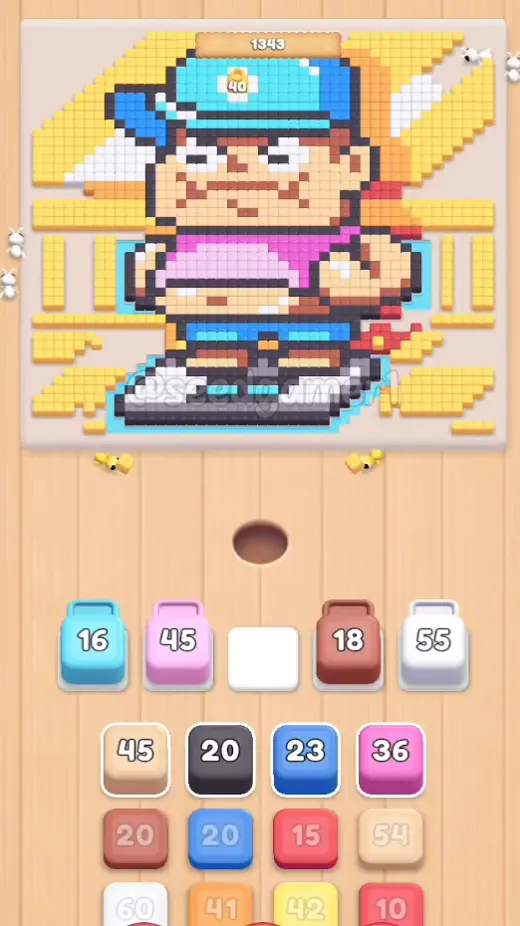
| # | Time | Color Block | Count |
|---|---|---|---|
| 13 | 0:53 | 🩵 Sky blue | 16 |
| 14 | 0:54 | 🟥 Red | 10 |
| 15 | 0:55 | 🟧 Orange | 30 |
| 16 | 1:19 | 🟥 Red | 13 |
| 17 | 1:23 | 🟨 Yellow | 19 |
| 18 | 1:24 | 🩷 Pale pink | 45 |
Phase 4 — Brown, Off-white, Grey, Blue and Yellow (1:25 – 2:24)
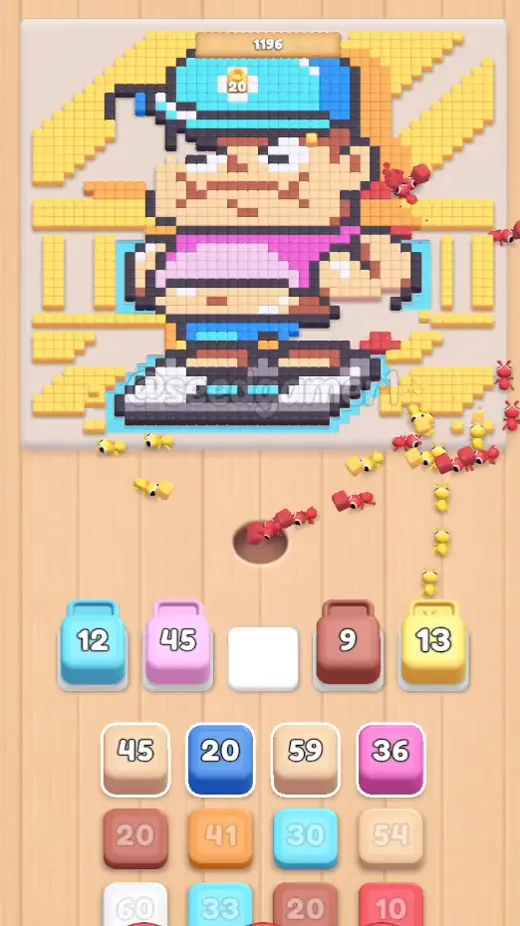
| # | Time | Color Block | Count |
|---|---|---|---|
| 19 | 1:25 | 🟫 Brown | 18 |
| 20 | 1:26 | ⬜ Off-white | 56 |
| 21 | 1:53 | ⬛ Dark grey | 19 |
| 22 | 2:02 | 🟦 Blue | 22 |
| 23 | 2:23 | 🟥 Red | 10 |
| 24 | 2:24 | 🟨 Yellow | 39 |
Phase 5 — Tan, Mauve and the Whole Outline (3:05 – 4:10)
| # | Time | Color Block | Count |
|---|---|---|---|
| 25 | 3:05 | 🟤 Tan | 44 |
| 26 | 3:07 | 🟤 Tan | 57 |
| 27 | 3:46 | 🩵 Sky blue | 30 |
| 28 | 3:46 | 🟫 Brown | 15 |
| 29 | 4:09 | 🟪 Mauve | 12 |
| 30 | 4:10 | ⬛ Dark grey | 97 |
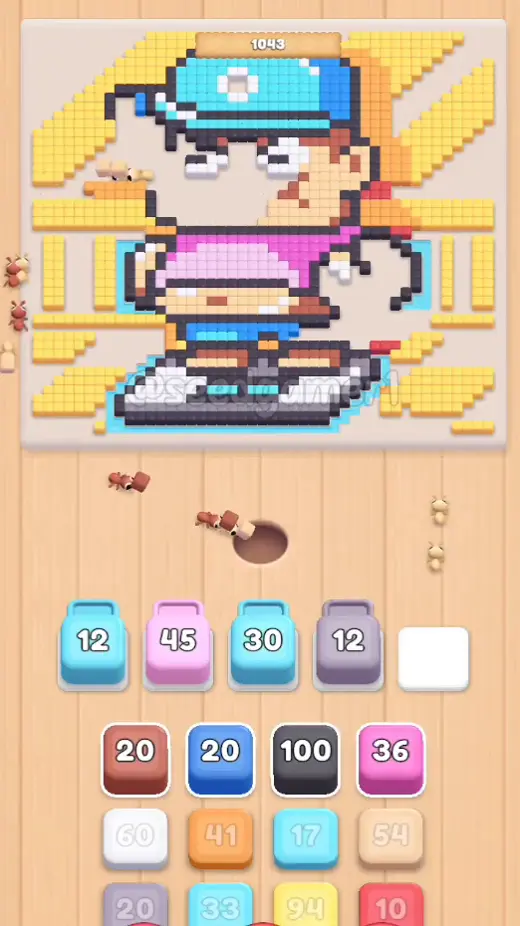
Phase 6 — Rust and the Deep Ink (5:14 – 5:35)
| # | Time | Color Block | Count |
|---|---|---|---|
| 31 | 5:14 | 🟫 Rust | 17 |
| 32 | 5:22 | ⬜ Off-white | 55 |
| 33 | 5:35 | 🟪 Mauve | 19 |
| 34 | 5:35 | ⬛ Black | 85 |
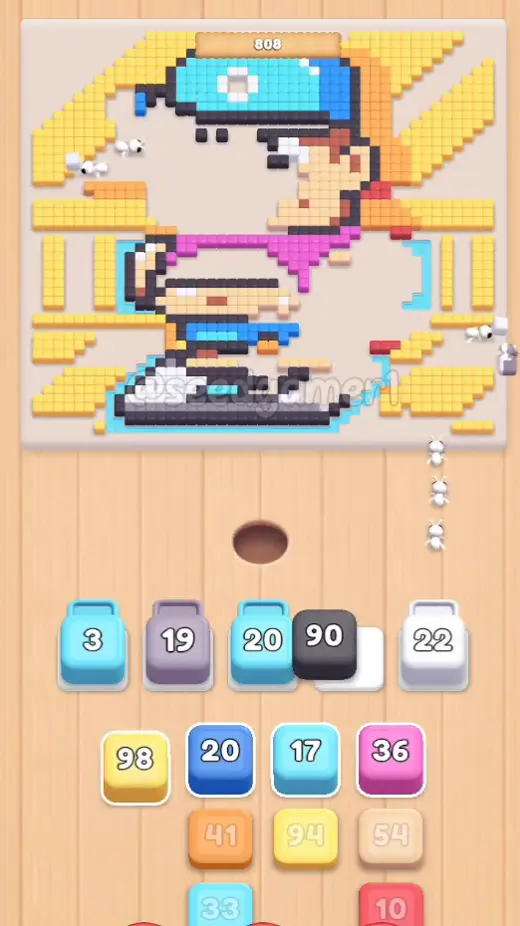
Phase 7 — Blues, Orange and Yellow (5:58 – 6:12)
| # | Time | Color Block | Count |
|---|---|---|---|
| 35 | 5:58 | 🟦 Blue | 15 |
| 36 | 6:00 | 🟧 Orange | 39 |
| 37 | 6:02 | 🩵 Sky blue | 32 |
| 38 | 6:07 | 🟨 Yellow | 94 |
| 39 | 6:09 | ⬛ Dark grey | 48 |
| 40 | 6:12 | 🩷 Pink | 36 |
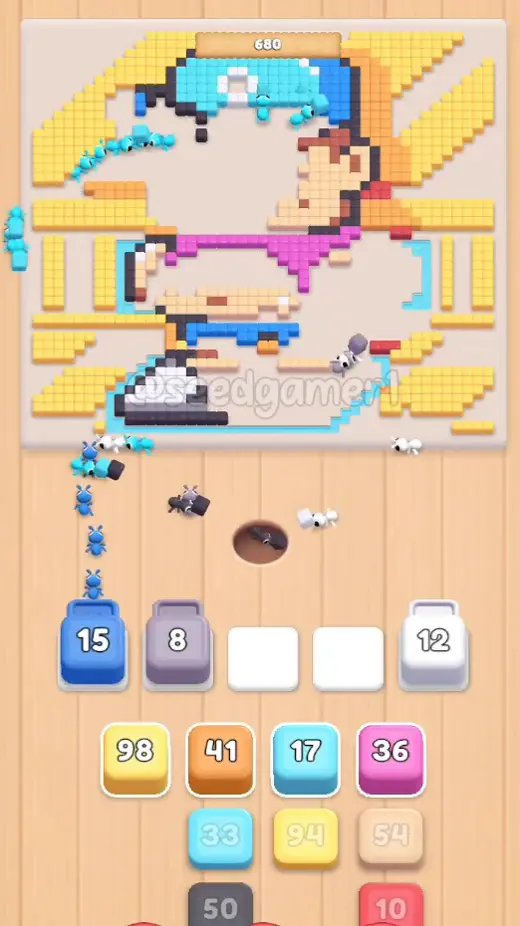
Phase 8 — Tan, Red, Off-white and the Queue Burst (6:18 – 6:39)
| # | Time | Color Block | Count |
|---|---|---|---|
| 41 | 6:18 | 🟤 Tan | 53 |
| 42 | 6:21 | 🟥 Red | 8 |
| 43 | 6:33 | ⬜ Off-white | 35 |
| 44 | 6:33 | 🟨 Yellow | 77 |
| 45 | 6:34 | 🟦 Blue | 18 |
| 46 | 6:39 | ⬛ Dark grey | 18 |
| 47 | 6:39 | 🟧 Orange | 34 |
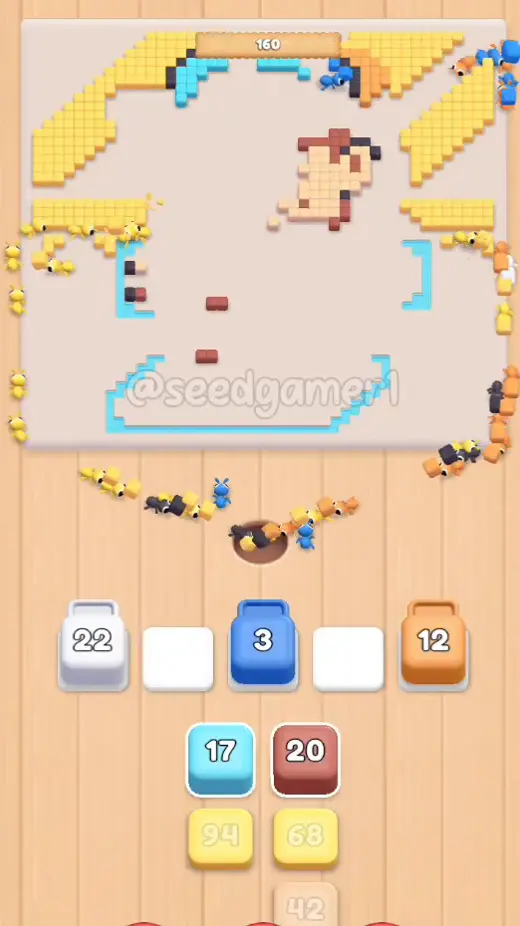
Phase 9 — The Final Seven (6:53 – 7:25)
| # | Time | Color Block | Count |
|---|---|---|---|
| 48 | 6:53 | 🩵 Sky blue | 14 |
| 49 | 6:53 | 🟨 Yellow | 94 |
| 50 | 7:12 | 🟫 Brown | 16 |
| 51 | 7:12 | 🟨 Yellow | 66 |
| 52 | 7:18 | 🟤 Tan | 39 |
| 53 | 7:20 | ⬛ Dark grey | 26 |
| 54 | 7:25 | 🟨 Yellow | 89 |
The very last pixel to fall is Yellow: the board is completely empty at 7:33, and the Level Complete screen appears at 7:38.
Quick Reference — One-Line Order
Off-white 32 → Red 14 → Orange 38 → Orange 40 → Orange 26 → Orange 21 → Red 10 → Off-white 43 → Orange 32 → Orange 29 → Red 10 → Orange 30 → Sky blue 16 → Red 10 → Orange 30 → Red 13 → Yellow 19 → Pale pink 45 → Brown 18 → Off-white 56 → Dark grey 19 → Blue 22 → Red 10 → Yellow 39 → Tan 44 → Tan 57 → Sky blue 30 → Brown 15 → Mauve 12 → Dark grey 97 → Rust 17 → Off-white 55 → Mauve 19 → Black 85 → Blue 15 → Orange 39 → Sky blue 32 → Yellow 94 → Dark grey 48 → Pink 36 → Tan 53 → Red 8 → Off-white 35 → Yellow 77 → Blue 18 → Dark grey 18 → Orange 34 → Sky blue 14 → Yellow 94 → Brown 16 → Yellow 66 → Tan 39 → Dark grey 26 → Yellow 89
Pro Tips
1. Keep all five slots full. The picture is cleared by volume, not by order, so the only real waste is an idle slot. The moment a block hits zero, tap the next one from whichever queue column is ready.
2. Open with Orange. Four of the first six blocks are Orange (38, 40, 26 and 21) and between them they strip the whole top of the backdrop. Orange is also the only colour that appears in every queue row at the start, so the opening thirty seconds are free of hard choices.
3. The level signature stall is the Sky blue 16 from step 13. It lands at 0:53 and does not free its slot until about 5:52 — five minutes of the level running on four slots. Plan the whole first half around it.
4. Three more long holds pile up behind it. The Pale pink 45 from step 18 (1:24) keeps its slot until roughly 5:22; the Sky blue 30 from step 27 (3:46) holds on until about 5:57; and the Brown 18 from step 19 (1:25) does not fall until around 3:23.
5. Big counts are not slow counts. The Dark grey 97 (step 30) and the Black 85 (step 34) look like the two slowest blocks of the level, but each clears in around a minute once its pixels are exposed. The genuinely slow blocks are the small ones whose pixels are buried — Sky blue 16, Brown 18, Sky blue 30.
6. Feed the small blocks early, keep Yellow for last. The Yellow fields in the backdrop are the biggest single-colour areas on the board (94, 94 and 89 pixels), and they only open up once the outline is gone — so every late slot should go to Yellow, Orange or Tan.
7. There is a 64-second lull before the endgame. Nothing new lands between step 30 at 4:10 and step 31 at 5:14; the board then runs through the last 24 blocks in three minutes. Track progress with the counter above the boy's head: it reads 1800 at the start and 160 by 6:49.
8. Finale. The last block you place is Yellow 89 at 7:25, and the last pixel on the board is also Yellow, gone at 7:33. No failed taps, no wasted moves — the run is one clean pass.
Colors in this level
Colors in this level: ⬛ Black (the darkest ink of the outline) · ⬛ Dark grey (the softer outline around the boy, the cap and the scooter) · ⬜ Off-white (the white hazard stripes in the corners and the trim on the cap and shirt) · 🟫 Brown (the wooden counter above his head and the shading on the toy) · 🟫 Rust (the rust-red shadow under his feet) · 🟤 Tan (the skin of the face, the ear and the hands) · 🟨 Yellow (the yellow stripes and fields of the backdrop) · 🟧 Orange (the orange bands and rays behind the boy) · 🟥 Red (the badge and logo on the cap) · 🩷 Pale pink (the pale-pink top band of the shirt) · 🩷 Pink (the magenta stripes of the shirt) · 🟪 Mauve (the mauve shading on the cheek) · 🟦 Blue (the shorts and the scooter) · 🩵 Sky blue (the cyan cap, the shorts highlights and the scooter outline)
Food Hunt Level 753 — frequently asked questions
- What colours are on the Food Hunt Level 753 board?
- The board image breaks down into 10 main colours, each covering at least 2% of it: orange (#FACA69, 31.8% of the board), dark grey (#534B58, 15.9% of the board), pale orange (#F7D6A9, 13.0% of the board), white (#F3F1F6, 10.5% of the board), red (#C46E5D, 8.1% of the board), cyan (#66E1F1, 6.7% of the board), grey (#96969A, 5.1% of the board), blue (#3891E1, 3.5% of the board), pale grey (#EBC8E9, 3.0% of the board) and pink (#E96ED3, 2.4% of the board).
- Which colour should I clear first in Food Hunt Level 753?
- orange covers the most of the board at 31.8%, and dark grey is next at 15.9%. The step-by-step walkthrough above is this board's actual tap order; the colour shares here are only what each colour costs to clear.
- What difficulty is Level 753 in Food Hunt: Pixel Puzzle?
- Level 753 is rated Expert difficulty in Food Hunt: Pixel Puzzle.
- Is there a video walkthrough for this Food Hunt level?
- Yes — the walkthrough video on this page plays the full clear of this board, so you can follow the tap order block by block. The board image next to it shows what the finished picture is made of.
More expert walkthroughs
View all →
Featured walkthroughs
The levels players search for most - each with a full video guide.